
Offer Letter Templates
Offer Letter Templates allow you to create reusable offer letters that can be customized for individual candidates. Using templates helps maintain consistency, reduces manual work, and speeds up the hiring process.
Templates can include standard offer language while using placeholders to automatically insert candidate- and opening-specific information when an offer is generated.
Why Use Offer Letter Templates?
Offer Letter Templates help your team:
- Standardize offer letter formatting and language.
- Reduce repetitive editing.
- Save time when creating offers.
- Ensure consistent communication across your organization.
- Automatically populate candidate and opening information using placeholders.
Create an Offer Letter Template
To create a new template:
- Go to Settings.
- Open Offer Letter Templates.
- Click Add Template.
- Enter a name for the template.
- Build the offer letter using your organization's standard language.
- Insert placeholders where appropriate.
- Save the template.
The template is available for future offers once it has been saved.

Use Placeholders
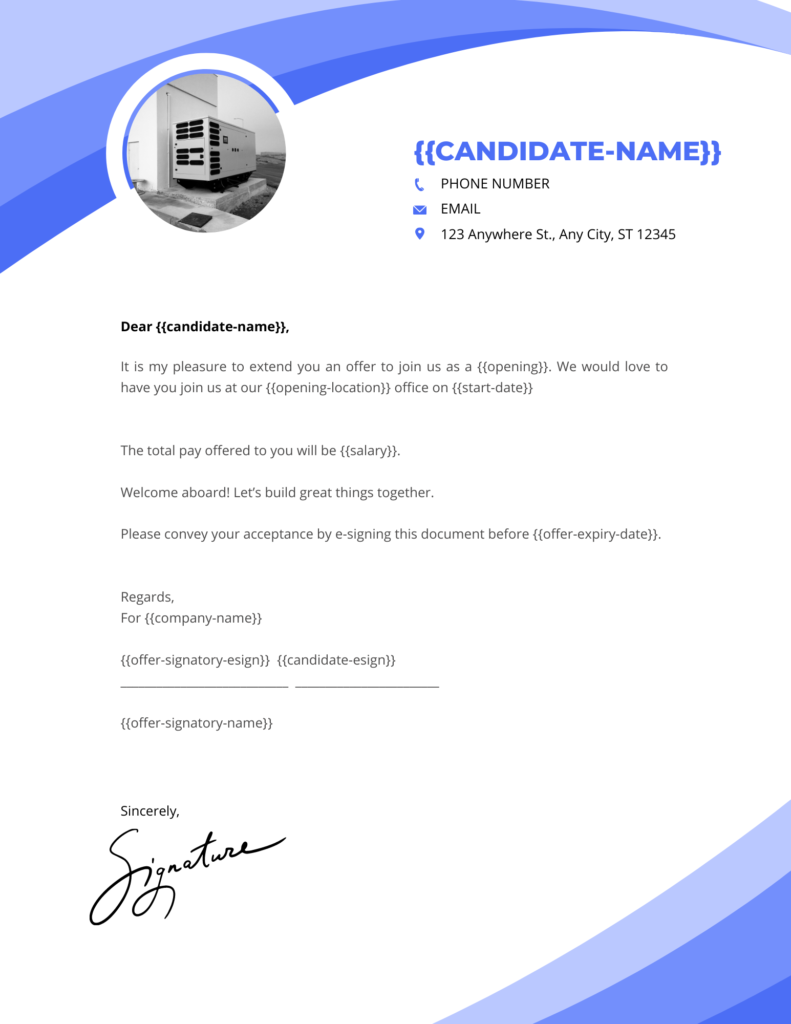
Offer Letter Templates support placeholders that automatically insert information when an offer is created.
Depending on your account, placeholders may include information such as:
- Candidate first name ({{candidate-first-name}})
- Candidate last name ({{candidate-last-name}})
- Opening title
- Company name
- Start date
- Compensation details
- Other supported offer fields
Important: Leave placeholders exactly as provided. Do not modify the formatting, spelling, capitalization, or brackets. Trakstar Hire replaces these placeholders with the appropriate information when generating the offer letter.
Edit or Delete a Template
You can update templates as your organization's hiring process evolves.
To manage an existing template:
- Go to Settings.
- Open Offer Letter Templates.
- Select the template you want to modify.
- Make your changes.
- Save the updated template.
Templates that are no longer needed can also be deleted.
Before deleting a template, confirm it is no longer required for future offers.
Use a Template When Creating an Offer
When creating an offer for a candidate:
- Begin the offer creation process.
- Select the appropriate Offer Letter Template.
- Review the generated offer letter.
- Verify that all placeholders have been replaced with the correct information.
- Make any opening- or candidate-specific adjustments, if needed.
- Send the offer.
Using templates helps ensure every offer follows your organization's standard format while still allowing individual customization.

Best Practices
- Create separate templates for different employment types or locations when needed.
- Use placeholders whenever possible to reduce manual editing.
- Keep standard legal and company language in templates instead of rewriting it for every offer.
- Review templates periodically to ensure compensation language, policies, and branding remain current.
- Always preview an offer before sending it to verify that placeholders have been populated correctly